
Abstract
We at Mirai Labs are working on Mac automation. A person will express an intention, and the system will work out how to carry it out. And one of the biggest chunks is the intentions that don't appear in a request log. We believe that the future of HMI (human-machine interaction) is when the computer understands the person's intention, uses all possible context and adapts on the fly, and moreover doesn't bring workflow interruptions or block them from working.
At Mirai Labs, we discuss a lot of possible use cases and think about what people expect from an assistant. Most of them are pretty obvious, but every now and then we stumble on ones that are not obvious at all. Let me give you a quick example from real life.
I'm out walking, listening to music. A song comes on in Spanish, and I'd like to know what it's about. I know this is possible. I can take out my phone, open the player, find the lyrics, copy them, and put them into an AI assistant. I'd go to an assistant and not to some translator, because the words alone tell me little, I want the cultural references too.
By the way, Apple Music can already translate lyrics for some songs 1, so somebody at Apple already went and made this route for people. The problem is that I need to remember this thing exists at all, and then stop, take out the phone and tap through it, and I'm walking, thinking about something else. So we'd like the model to take over at least some of this designer work: find the way by itself and do it for me. In the ideal case I just say quietly into my headphones, “What is this song about?”, and a bit later a silent notification shows up on my lock screen with the translation and the cultural references explained.
Another one. I play games quite a lot, and very often I want to copy a build (a set of choices for a particular in-game setup) from some website. For that I have to leave the game, find the build, copy it, go back and paste it. I'd rather just ask for the build and have it already sitting in the clipboard, then paste it myself.
These two look alike, but for me they are actually different:
- With the song, most likely I won't bother at all, even though I know exactly how to do it.
- With the build, I go through this routine anyway, for me it's part of playing.
So what's the difference? I think it is a request I never made, which won't appear in a request log. Modern assistants always deal with what we know how to do. But how do we make people express intentions without thinking “it's impossible”? Most of the benchmarks and research are connected to something written down or explicitly said by people. In a perfect world, we expect some sort of context understanding and the ability to figure out what will be the best way to handle an intention.
None of these examples needs a Mac, to be fair. But I have intentions like that every day, on the phone, on the laptop, doesn't matter. So we're building an intent layer. I tell it what I want and it decides which operations to call to get me there. And we start on the Mac because, well, all my files and apps are there already. Right now we're collecting things we'd want an assistant to automate, looking for some patterns in them and thinking how to handle each kind of work best.
Find photos of signs from my last Japan trip,
put them in a folder, and rename them by date.
Saved to “Japan Trip — Signs”
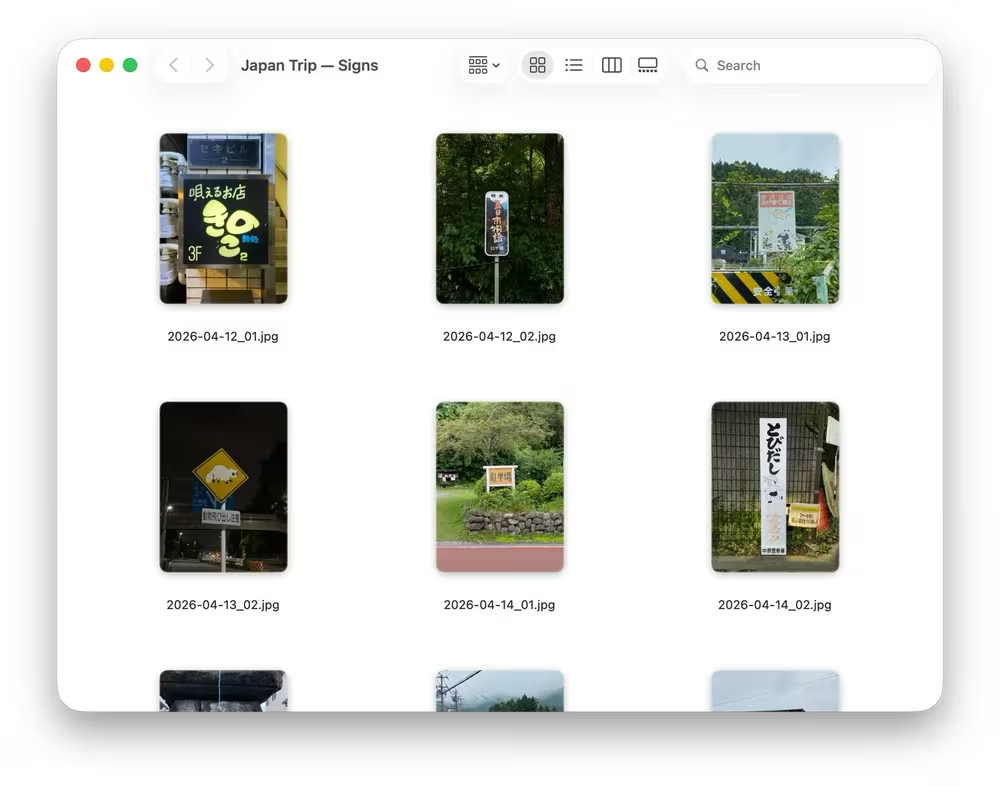
We need a way to classify the use cases we want to cover, describe them, and identify the tools they need. We say intention rather than task here. A task is something somebody already wrote down and knows how to do, but there is some intention behind anything I do with my device, even if it's vague. A person expresses an intention, and the assistant finds a way to carry it out. That interaction raises a few questions:
- Does it need clarification along the way?
- Which actions need to be reversible, and how should undo work?
- Could it make sensitive or irreversible changes to the system?
- Should it start without asking anything else?
- Does the current state of the system change the way it should proceed?
There are different kinds of intentions. Sometimes we can picture the result clearly, sometimes we can't. Sometimes we only know the route, or part of it. My parents often ask me for help with their computer: how do I save this video, or send it to someone? They know what they want to happen. They don't know how to get there.
| I know the route | I don't know the route | |
|---|---|---|
| I know the result | The game build: every step is clear, it just takes time | My parents saving a video |
| The result is vague | The song: I know how to get the lyrics, but what they mean is open | What the computer can do for me here |
Broder distinguished informational, navigational, and transactional searches 2. Google's search-quality guidelines offer a useful starting point: Know means finding information, Do means accomplishing a goal, Website means reaching a particular page, and Visit-in-Person means finding a place to visit 3. A query can have more than one intent. The question is what people expect back.
As a starting point, I'd use the following classification:
| Intention | Example | What I need back | Operations |
|---|---|---|---|
| Understand | “What is this song about?” | An explanation I can read at a suitable moment. | Current song, web fetch, notification |
| Find or open | “Open that guide.” | The thing I meant, ready to use. | Spotlight, recent files, open file or URL |
| Change a state | “Switch to my presentation setup.” | The settings changed and checked. | Shortcuts, App Intents, system settings |
| Transform or transfer | “Paste this table here.” | Content I can actually use at the destination. | Clipboard, App Intents, AppleScript |
| Capture or organize | Dictate an unfinished thought. | The thought kept somewhere I can find it. | Notes or Reminders through App Intents |
| Continue work | Pick up an article we were discussing. | The text and enough context to carry on. | Open the document, recent history |
For each kind, I'd also record these constraints:
| Intention | Latency need | Reversible? | When to ask |
|---|---|---|---|
| Understand | Background, at a natural break | No state change | Missing context or permission |
| Find or open | Instant feedback, about 0.1 s | Close it again | Ambiguous item |
| Change a state | Done in under 1 s | Restore the previous settings | Unclear or consequential change |
| Transform or transfer | Under 1 s, or in the background | Keep the old content, check before overwriting | Unclear destination or conflict |
| Capture or organize | Background | Delete or move the item | Unclear scope or destination |
| Continue work | Background | Version history | Which work, or which direction? |
This is our working map, and the categories overlap. “Explain this song” says what I want. “I won't bother if I have to stop walking and open three things” says what would make the help useful.
The two examples from the start give us different things to test:
| Song lyrics, out walking | Game build, in the game | |
|---|---|---|
| Intention | Understand | Transform or transfer |
| By hand | I know how, but usually leave it alone | A routine I already go through |
| Value versus effort | In that moment, the answer is worth less than the manual effort | Getting the build is worth the manual effort |
| Route | Identify song → find lyrics → explain → notify | Fetch page → extract build → write clipboard → verify |
| Waiting | Result can wait for a natural break | I keep playing, but want it ready soon |
| Act or ask | Answer an authorized, clear request | Check the destination and any clipboard conflict |
| Data | Web + what is playing | Web + local clipboard |
| What to measure | Whether the need gets served, and whether the explanation helps | Correct clipboard content, time to paste, interference |
This is also a starting point for the environments we'd use in post-training. For reinforcement learning, we'd need repeatable starting conditions, actions the model can take, and a reward based on what actually happened.
“Keep my Mac running when I turn off
the screen.”
Current situations
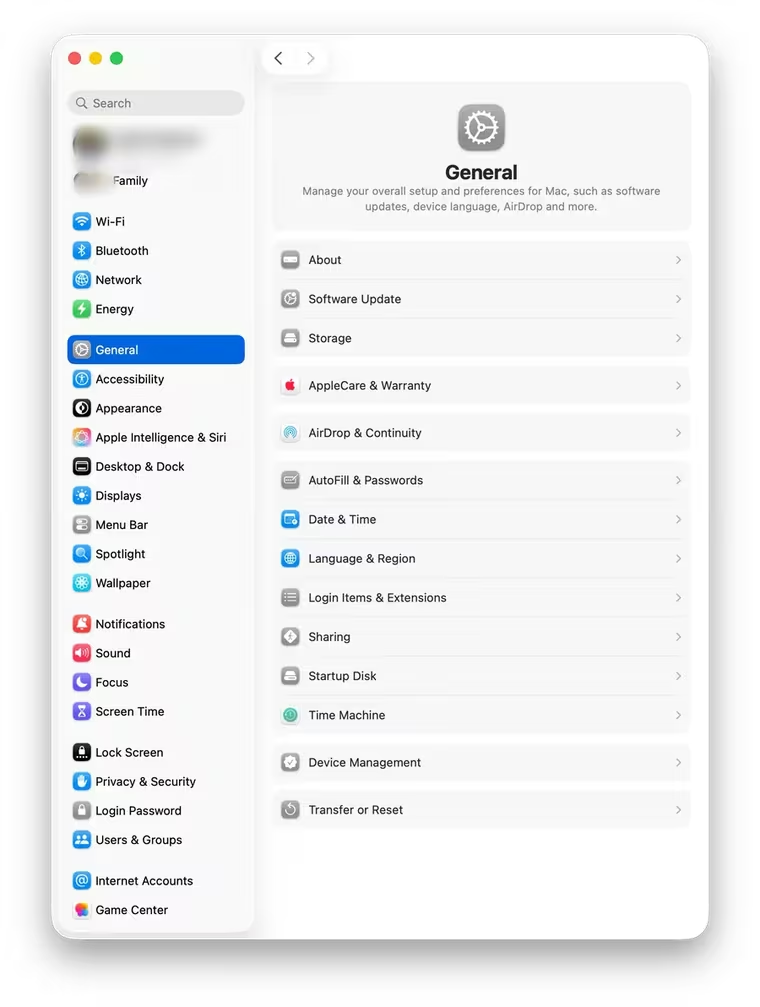
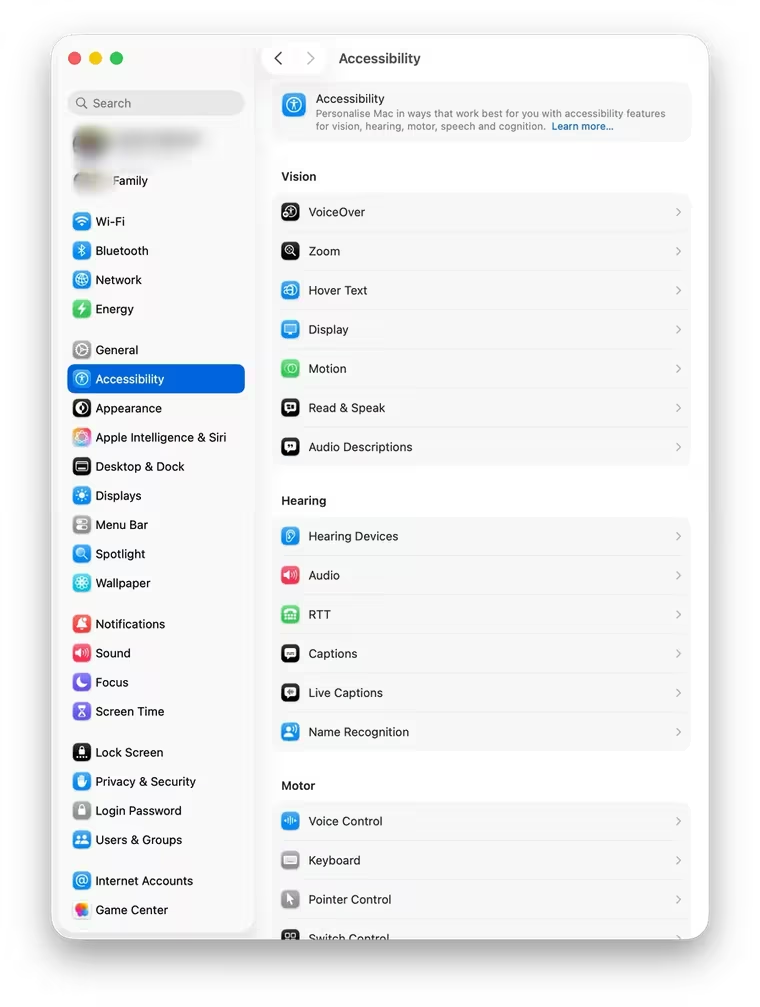
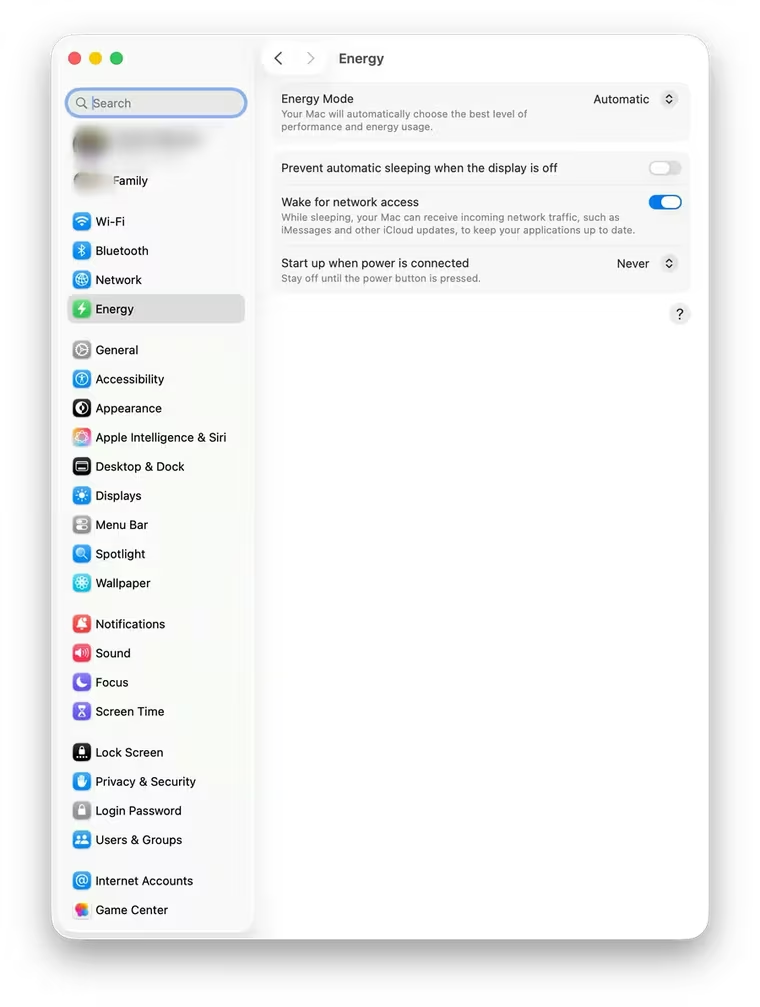
Most graphical interfaces give us routes that somebody has designed in advance. To get a result, I have to learn enough of that route: where the buttons are, what they mean, and in what order to use them to move forward. A lot of product design, onboarding, and tutorials exist because that knowledge has to come from somewhere. The gap between the result I have in mind and the actions the interface offers is an old problem in HCI 4. Even learning a better route can cost more than sticking with a familiar one 5.
With an LLM, I say or type what I want without learning the command first. The wording can be incomplete, imprecise, or different from last time. But there are no buttons, so I still don't know what the device can do. Luger and Sellen interviewed 14 people who used voice assistants and found their expectations dramatically out of step with what the assistants could do 6. So the assistant should show me.
An intention can't really have clear boundaries or a fixed description. Half of it stays in my head. So we want to get to a way of interacting where the interpreting is on the computer and AI, not on me. My device should figure out which operations to call, with what arguments, and check the result. ReAct is one research example of a model working like that: it switches between reasoning and actions and reads what each action returns 7. The input is flexible, but the actions still have to be specific.
Say it any way. The operation stays the same.
One operationchecked ✓
- operation
- Notes.saveLink
- item
- the video on screen
- destination
- Notes › Watch later
- notification
- saved as link
The route I would have had to learn: Share›More…›Notes›Choose folder›Save
But the same intention doesn't always need the same path. For a system like this, personalization matters. The question is whether the assistant should remember how I did something and repeat it next time. To decide, it has to understand the state of the system and my context. If everything is exactly the same as last time, it probably should. If something has changed, it's hard to know whether to do it that way now.
Even something simple, like writing an email reply, depends on the time of day, the recipient, and other circumstances. Remembering how I did it before doesn't guarantee the same way fits this time. The hard part is knowing when to use a preference, when past experience matters, when to just get the result, and when the AI should explain why it chose its way. So I'm skeptical that the skills we saw last year in coding agents (saved instruction files) scale well across people and situations. In coding, everyone on a project shares one codebase and its rules. But what counts as a habit or default differs for each person, and it changes. A skill built around my habits is useful mostly to me.
I think some of what the assistant worked out is worth keeping, say, a script that saved my parents' video. Chollet separates acquiring a skill from the skill program that results 8. We want to keep the conditions it worked under too. Suchman argued that anyone following a plan still has to interpret it in the situation at hand 9.
There's another source of mismatch: what I said may not quite be what I meant. Grice distinguishes what we say from what we imply, and shows how context and shared knowledge enter that inference 10. Does “save this video” mean keep a link or download a file? The assistant may need to ask. My intention can also become clearer while we're doing the work. I want to be able to correct it then, by voice or on screen 11 12.
We can remember the routes I liked. For me, “save this video” means a link in Notes. I usually don't need the file. The notification should say “saved as link,” so I don't have to open Notes just to find out what it did. Sometimes I do need the file, and I say “download it this time.” It downloads once, and then it's a link again. But at some point I can also change my mind. Then I say “from now on, always download,” and the assistant should make that clear: “OK, so now I'll download every time you say to save a video.” I think preferences like this should be kept as a log, so I can look through them later. What I say now beats the habit.
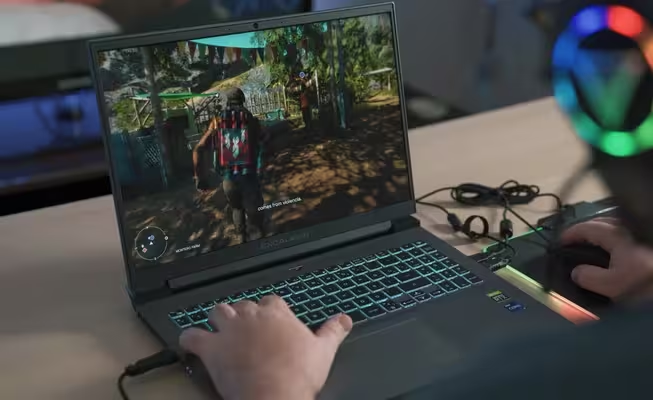

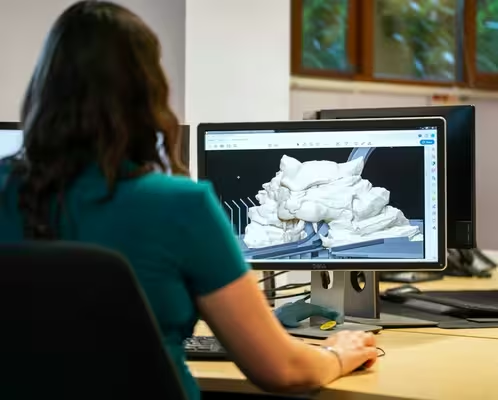
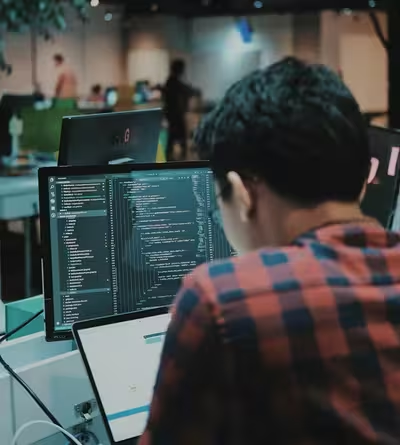
So how do people get things done on a computer right now? I see three routes. The first is the interface itself: I pick a tool, find my way around it, do something, and check if it worked. Then AI came up with a way to automate that, the visual agent. It looks at the screen, picks an action, and clicks or types the way I would, then looks at the result to see whether it worked. I don't really understand why an agent should use the same controls as a person, the mouse and the keyboard. Pixels are on every screen, so as a universal way in, it makes sense. For everything else I think it's the least efficient way there is.
The third route, the one we want to try, is the intent layer. It starts with the intention. It interprets it, looks at the current state and constraints, calls the operations, checks the result and gives me feedback, without taking over my screen or blocking my work. If there's an API for it, it calls the API. A model shouldn't look for the same button on every run. The interface is made for people. I think we shouldn't go along the old rails.
Different routes from intention to outcome
Manual GUI I choose the route
Visual agent Model navigates the interface
Intent layer Operations first, UI when needed
+ intention
constraints
Operations may need several calls, clarification, or recovery. Arrows do not encode time.
Once I've learned an interface, it's usually a very fast and obvious way to get a task done. I use it without thinking about the route, like a reflex. I get there along the classic learning curve, a little faster every time 13. We can't say the same about an agent that has learned to recognize elements and click through them. On every run it looks at the screen again and plans again, so I don't expect the next run to be much faster. In OSWorld-Human, an agent took 12 minutes to double-space two paragraphs, and the authors estimate a person with introductory computer experience would need under 30 seconds 14. If I can do it much faster myself, using AI is hard to justify.
We believe a proper assistant can work without looking at the screen. Codex already mixes commands and integrations with graphical controls 15. MCP describes tools to an assistant 16, and a tool can call an API or drive the interface. We'll count how many intentions on our list have an operation we can call today. When there isn't one, the interface may be the only way in, so I think for some intentions we'll still have to check the visual state, one way or another.
Where the model runs is another choice. A cloud model can call an API on my machine, and a local model can click through a GUI. Figure 2 separates those choices. We think the intent layer should run on my Mac and call operations directly, so we aim for the local-operations corner. Frequent actions there have to finish quickly and leave me free to keep working.
Where the model runs, and how it acts Checked September 2026
Cloud inference · GUI actions
- OpenAI computer toolNative GUI mode
- Gemini Computer UseClient executes UI actions
Cloud inference · Direct operations
- Claude CoworkConnectors, GUI fallback
On-device inference · GUI actions
- Fara-7BComputer-use model · 7B, open weights
Compute
models
On-device inference · Direct operations
- Mu / Windows SettingsNPU, Settings functions
- TinyAgent / Mac demoLocal tool planning
- Foundation ModelsOn-device tool calling
Long tasks reach the internet
Selected modes.
Apple is building here too. Siri AI began rolling out in English beta on macOS 27 in September 25. Through App Intents and App Schemas, it can find app content, act on it, and use onscreen context 27. Shortcuts can assemble an automation from a description 28. So why not just use Siri? I think Siri will do well wherever apps expose App Intents and App Schemas. But not every app does, and the build for my game isn't in an app at all. It's on a website, and it should be waiting on the clipboard while I keep playing. Other requests go through several apps. Our hypothesis is that we can handle these cases too and do frequent actions fast. Siri uses models on device and in Private Cloud Compute, and its Spotlight index and App Toolbox stay on device 26. We'll try our own examples on Siri and see how long they take, whether I can keep working, and, if Siri shows it, which requests leave the device.
For the Mac app we're building, we can use Foundation Models, which lets an on-device model call tools we provide 24. We get one more implementation to test on the same examples. But Siri's integrations don't come with the framework, and we don't want to write our own for every app, because then we'd drown.

Average blink duration0.1–0.4 seconds
For elementary actions, we're used to an immediate response. I turn the steering wheel and the car starts turning. I press a button and it responds. I turn a page and the next page is there. Shneiderman called this direct manipulation 11. I'd like the intent layer to feel that ordinary when all I do is say what I want. I don't want to concentrate on the assistant just to find out whether it heard me.
And cloud agents slow this down, because there's a round trip to the server. The round trip itself is usually only tens of milliseconds, though. First what's on my Mac has to be uploaded, then I wait for the model's first token, and on a shared server there's a queue. We'll look at p95, not the average, because I remember the slow ones. Model location alone won't tell us how the interaction feels: loading the context, making the call, and checking the result take time too. But a local model skips the upload and the queue. So we think this kind of interaction should happen locally, on my machine.
Miller's point was that an acceptable delay depends on the kind of response 29. I see it in my own examples. The lyrics can wait until there's a natural break in my walk. With the build, I keep playing, but I want it there soon. If my parents say “save this video”, the saving can happen in the background, as long as they see right away that the assistant heard them. That's the Latency need column in section 2. Miller put about two seconds on keeping a conversation going. Nielsen says one, and the table uses one. The familiar guidance from Nielsen and Shneiderman gives us a useful reference 30 31:
| Delay | What it means here |
|---|---|
| About 0.1 s | Feedback from a control can feel immediate. |
| About 1 s | I notice the delay, but can usually keep my train of thought. |
| About 10 s | Keeping my attention on the exchange becomes difficult. Progress and room to do something else matter. |
I'd like an action to finish in under 200 milliseconds where possible. That's about the pause, on average, when a person answers a question in a conversation 32. But it actually matters here what exactly we measure. First, I need some sign that the assistant heard me. It should come in about 0.1 seconds. That's the first row of the table. The second is the result itself, already checked. I think our target for now is to support the small actions we can do and check in 0.3–0.5 seconds at the median, and in under a second for 95 requests out of 100. Doherty and Thadani wrote that at a terminal, productivity rises sharply when the answer comes in under a second 33.
Response-time guidance, and our target
Another important point is where we start counting from. When a person says something, they may ramble at first and then say “do this”. We count both from the moment I've finished speaking. And noticing that I've finished is part of the time too. So we start preparing while I'm still talking and try to guess how the command will end. It's like the Apple keyboard. You start typing a word, and it already knows what the options might be, most likely from the previous words. The same can work here. Even from a third of the command or the thought, we can already guess what I want to do. I say “what's this song?” and it's all already happening. I don't have to say “go on, do it”. And it has to work locally, because it has to be super fast. If it doesn't work super fast, nobody needs it.
A lot happens before I get a checked effect. The assistant notices that I've stopped talking. Then it reads my request, looks at the current state, writes the call, runs it and checks the result. For a single call on a warm model with the fixed prompt cached, the steps run one after another:
Tsys ≈ Tend + nvar/rpre + ncall/rdec + Top + Tchk
Tend is how long it takes to notice that I've stopped. The model reads nvar tokens of the remaining input at rate rpre and writes ncall tokens of the call at rate rdec. Top is the operation, and Tchk is the check. We start reading while I'm still talking, so nvar is what's left when I stop. In uzu, our inference engine, we use sparse KV buffers to make the fixed prompt and request context cheaper to keep in memory, and speculative decoding to raise rdec 34. But each extra call adds every term again except Tend. So for a supported small action we make one call.
I can wait for the lyrics and their translation until a natural break. But I need the game build copied as fast as possible, without interrupting the game. So the question is when waiting is acceptable and when it isn't. The ideal answer, of course, is that everything is instant. But some intentions lead to longer work that I want to correct or clarify as it goes. So ideally we start with the cases where those corrections have the smallest effect.
When does an attempt save me time?
Success rate at break-even
Mean duration of one system attempt · seconds, log scale
- By hand
- 30 s
- Attempt
- 10 s
Watching it, success must exceed 46.9% to save time.
Assumes 3 s to ask and check, 2 s to undo.
In the marked example, a ten-second attempt against thirty seconds by hand has to work almost half the time if I watch the whole wait. If only a tenth of the wait takes my attention, about one time in five is enough. With the song, I might never look it up myself. Then the answer has to be worth asking for and checking.
In the third view a question costs me three seconds. If I have to redo a wrong guess by hand, and that takes 30 seconds, the assistant should act only when it's about 91% sure it understood me. If I just say “fix that” and it tries again in half a second, 45% is enough. So a fast assistant should guess and let me correct it. A slow one should ask. Section 7 counts what gets done and checked in time, corrections included.
Thinking Machines puts the broader ambition well in its research preview:
“We think interactivity should scale alongside intelligence”
For me, that includes being able to say something while the assistant is still working and have it change what it does. What I say has to reach the operations it's running. Just answering me isn't enough. Horvitz, and later Amershi and colleagues, looked at when an assistant should act or ask, and how to let people intervene 36 37. I think that by default, in the long run, there shouldn't be any questions before it starts. There should only be some kind of feedback loop. The loop can show progress, or ask whether I want to continue.

Latency is one reason to do it on my own machine. Another reason is that my files, settings and whole working environment are already here, on my device. I don't want to upload all of it to the cloud or some other environment and then keep checking if it synced or not. We buy our devices and we want them to work, and AI should be part of that. Something personal, something mine, which just works without a list of conditions I have to meet first. That's the direction where we want to go.
Quite often I want to ask something about my photos or about something I just did. I'm not going to wait minutes or even hours while my photo library or my logs upload, before I can work with them. And new content piles up really fast. Let's say I just took twenty photos and want to pick the best one by a few criteria. So the whole idea to upload everything first just doesn't work.
When I'm out walking, like with the Spanish song, I'm on mobile data. The signal comes and goes, sometimes there is none at all. A model on my own device keeps working with what is already on it. And I paid thousands of dollars for this Mac, and most of the day its compute is just idle. I'd rather use it fully than pay extra for one more system to work with the same content.
Working locally also lets us keep more of this private. People may not think about where their data goes, or don't even know when it leaves the device. But it doesn't mean it's not important. We want our lives and our devices to be open for us, and for someone or something else only with our permission. If some intention needs AI outside the device, the assistant should say it clearly.
Obviously we are limited in memory. So with local models we work first of all on memory footprint and response latency, and a big part of it is work with the KV cache, which we are building into uzu 34. With sparse KV buffers the cache takes only as much memory as it needs, so we can keep the context in cache and the model reads only what's new, the nvar from section 5. We want to find out if small local models can do these frequent actions well enough and fast enough.
Artist unknown — Reconstruction of pyramid construction.
We need to compare ways of carrying out these intentions. By hand, a person uses the menus or the keyboard shortcuts. What matters here is whether they know how to do it before they start. If they've done it before, it's a reflex. The test behind section 3 is a newcomer who hasn't, so we'll also time their first success, with no instruction. Then there's a cloud GUI agent that works from screenshots, in a remote VM or on my Mac. A local model and a cloud model call the same operations. And one more agent, outside Figure 4, is free to use either route.
A person running a saved Shortcut gets the operations without the model. Against the local model, the Shortcut shows what the model adds. Then a cloud model calls the same operations, and the only change is where it runs. The GUI agent on my Mac uses a cloud model too, so next to the cloud model calling operations, only the route is different. Part of a gain can also come from leaving the work in the background, so we'll note whether I can keep working while it runs. We'd use the same setup (same task, starting state, permissions and outcome check) for the reinforcement-learning environments in section 2, with the checked effect as the reward.
The comparison to measure
0.3–0.5 s median1 s, 95 of 100
(a) PersonMenus
(b) PersonKeyboard shortcuts
(c) PersonA saved Shortcut
(d) Cloud GUI agentRemote VM
(e) Cloud GUI agentMy Mac
(f) Local modelStructured operations
(g) Cloud modelSame structured operations
Our measurements will go here. After the reinforcement-learning work, this becomes an interactive chart with our own data.
0.1 s1 s10 s100 s1,000 s
Time to a checked effect · seconds, log scale
Seven conditions we plan to compare. No data yet. Targets: 0.3–0.5 s at the median, 1 s for 95 of 100.People: task cue → checked effect. Agents: end of speech or typing → checked effect.
If a fast action needs fixing, I can end up with more work than before. And sometimes work in the background blocks what I'm doing, and that's bad too. Say the assistant and I both need the clipboard at once. Or I'm on a call, I dictate something, and the assistant blocks the call. We'll put these cases in the test, along with failures and requests the assistant can't handle. And we'll check every result, as task-based computer-use evaluations do 38.
Benchmarks only have tasks somebody wrote down, so timing them misses the song. I usually leave it alone, because the answer is worth less to me than the time it takes by hand. We couldn't find a dataset with intentions like that either. Sohn and colleagues used diaries to study mobile information needs, including ones people postponed or left unaddressed 39. We'll keep a diary too. Then we'll measure F(t), the share of the intentions in the diary that get done and checked within time t, corrections included. So one curve shows how many get done, and how fast.
If direct operations explain the gain and running locally adds nothing, we should say so. If the assistant removes a few clicks but leaves me supervising and fixing things, we haven't made the interaction easier. That's what I'd want these experiments to tell us.
Conclusion
We want people to use their computers and personal devices without getting stuck on “How do I do this?” AI can and should help me understand what the device can do, carry things out, and guide me when I need it. It should use the data and content already available and understand my settings and context. What can be done instantly should be done instantly. In longer work, I should be able to step in, give feedback, change direction, change the way we get the result—and sometimes change the result itself.
So what's next? First we try my own examples. The build is the easy one. I copy it anyway, so we can time me doing it by hand against the intent layer doing it while I keep playing. The song is harder. I know I can do it, but it'll take a long time, and I'm walking, and right now my head is busy with something else. We had a hard time finding intentions like that on the internet or in datasets, so we're starting a diary. And there are other small things you know for sure are possible, but you don't do them, because they take a lot of steps. We'll add them to the diary and find out whether this makes the things we usually leave alone worth doing.
References
- Apple (2025). Apple services deliver powerful features and intelligent updates to users this fall. Apple Newsroom, 10 June 2025.
- Broder, A. (2002). A Taxonomy of Web Search. ACM SIGIR Forum, 36(2), 3–10.
- Google (2025). Search Quality Evaluator Guidelines, General Guidelines, 11 September 2025 edition, §12.7, pp. 101–107.
- Hutchins, E. L., Hollan, J. D., and Norman, D. A. (1985). Direct Manipulation Interfaces. Human–Computer Interaction, 1(4), 311–338.
- Carroll, J. M., and Rosson, M. B. (1987). Paradox of the Active User. In Interfacing Thought, 80–111. MIT Press.
- Luger, E., and Sellen, A. (2016). “Like Having a Really Bad PA”: The Gulf between User Expectation and Experience of Conversational Agents. Proceedings of the 2016 CHI Conference on Human Factors in Computing Systems (CHI '16), 5286–5297. DOI: 10.1145/2858036.2858288.
- Yao, S., et al. (2023). ReAct: Synergizing Reasoning and Acting in Language Models. ICLR 2023. arXiv:2210.03629v3.
- Chollet, F. (2019). On the Measure of Intelligence. arXiv:1911.01547v2. DOI: 10.48550/arXiv.1911.01547.
- Suchman, L. A. (1987). Plans and Situated Actions: The Problem of Human–Machine Communication. Cambridge University Press. ISBN 0-521-33137-4.
- Grice, H. P. (1975). Logic and Conversation. In P. Cole and J. L. Morgan (eds.), Syntax and Semantics, Vol. 3: Speech Acts, pp. 41–58. Academic Press.
- Shneiderman, B. (1983). Direct Manipulation: A Step Beyond Programming Languages. Computer, 16(8), 57–69.
- Clark, H. H., and Brennan, S. E. (1991). Grounding in Communication. In Perspectives on Socially Shared Cognition, 127–149.
- Newell, A., and Rosenbloom, P. S. (1981). Mechanisms of Skill Acquisition and the Law of Practice. In J. R. Anderson (Ed.), Cognitive Skills and Their Acquisition, 1–55. Hillsdale, NJ: Lawrence Erlbaum Associates.
- Abhyankar, R., Qi, Q., and Zhang, Y. (2026). OSWorld-Human: Benchmarking the Efficiency of Computer-Use Agents. Proceedings of Machine Learning and Systems, 8. arXiv:2506.16042v2.
- OpenAI. Codex CLI, Computer Use, Authentication, Configuration Reference, and Advanced Configuration. Accessed 5 and 7 September 2026.
- Model Context Protocol. Architecture and Tools. Specification version 2026-07-28.
- OpenAI. Computer Use. Accessed 4 September 2026.
- Google. Computer Use. Gemini API documentation. Accessed 4 September 2026.
- Anthropic. Let Claude Use Your Computer in Cowork. Accessed 4 September 2026.
- Anthropic (2026). How We Contain Claude Across Products, 25 May 2026, and Use Claude Cowork on Web, Desktop, and Mobile. Accessed 4 September 2026.
- Microsoft (2025, 2026). Introducing Mu language model and how it enabled the agent in Windows Settings, 23 June 2025, and Configure the agent in Windows Settings, updated 27 February 2026.
- Erdogan, L. E., et al. (2024). TinyAgent: Function Calling at the Edge. EMNLP 2024 System Demonstrations, 80–88. arXiv:2409.00608v3.
- Awadallah, A., Nambi, A., Taymanov, A., Rajeswaran, A., Rosset, C., Mozannar, H., Whitehead, S., Vineet, V., Lara, Y., Pandya, Y., and Zhao, A. (2025). Fara-7B: An Efficient Agentic Model for Computer Use. Microsoft Research Blog, 24 November 2025. Weights: microsoft/Fara-7B.
- Apple. Foundation Models and Expanding generation with tool calling. Accessed 18 September 2026.
- Apple (2026). Siri AI, a profoundly more capable and personal assistant, is here. Apple Newsroom, 14 September 2026.
- Apple (2026). Apple introduces Siri AI, a profoundly more capable and personal assistant. Apple Newsroom, 8 June 2026.
- Apple (2026). Build intelligent Siri experiences with App Schemas and Explore advanced App Intents features. WWDC26 sessions 240 and 343.
- Apple (2026). Apple Intelligence brings powerful AI capabilities into everyday experiences. Apple Newsroom, 8 June 2026.
- Miller, R. B. (1968). Response Time in Man-Computer Conversational Transactions. Proceedings of the December 9–11, 1968, Fall Joint Computer Conference, Part I (AFIPS Conference Proceedings, 33), 267–277. DOI: 10.1145/1476589.1476628.
- Nielsen, J. (1993). Response Times: The 3 Important Limits. Excerpt from Usability Engineering.
- Shneiderman, B. (1984). Response Time and Display Rate in Human Performance with Computers. ACM Computing Surveys, 16(3), 265–285.
- Stivers, T., Enfield, N. J., Brown, P., Englert, C., Hayashi, M., Heinemann, T., Hoymann, G., Rossano, F., de Ruiter, J. P., Yoon, K.-E., and Levinson, S. C. (2009). Universals and cultural variation in turn-taking in conversation. Proceedings of the National Academy of Sciences, 106(26), 10587–10592. DOI: 10.1073/pnas.0903616106.
- Doherty, W. J., and Thadani, A. J. (1982). The Economic Value of Rapid Response Time. IBM, November 1982.
- Mirai Labs. uzu. Sparse Buffers for KV Cache, 7 June 2026, and Speculative decoding in uzu, 3 September 2026.
- Thinking Machines (2026). Interaction Models: A Scalable Approach to Human-AI Collaboration. 11 May 2026.
- Horvitz, E. (1999). Principles of Mixed-Initiative User Interfaces. CHI '99.
- Amershi, S., et al. (2019). Guidelines for Human-AI Interaction. CHI 2019.
- Xie, T., et al. (2024). OSWorld: Benchmarking Multimodal Agents for Open-Ended Tasks in Real Computer Environments. NeurIPS 2024, Datasets and Benchmarks Track. arXiv:2404.07972v2.
- Sohn, T., Li, K. A., Griswold, W. G., and Hollan, J. D. (2008). A Diary Study of Mobile Information Needs. CHI 2008, 433–442. DOI: 10.1145/1357054.1357125.